Adobe Dreamweaver Shortcut Keys List | Essential Dreamweaver Keyboard Shortcuts
Adobe Dreamweaver Shortcut Keys – Complete Guid
If you are a web designer or developer using Adobe Dreamweaver, learning shortcut keys can significantly improve your productivity. Instead of navigating through menus, keyboard shortcuts allow you to perform tasks instantly.adobe dreamweaver guide
In this guide, you will discover the most useful Dreamweaver shortcut keys that help speed up your web design workflow and make coding easier.Adobe InDesign shortcuts
Dreamweaver is a powerful web development tool developed by Adobe that supports HTML, CSS, JavaScript, and other programming languages.
For official documentation, you can visit the
https://helpx.adobe.com/dreamweaver.html
Why Use Dreamweaver Shortcut Keys?
Using keyboard shortcuts offers several advantages:
- Faster workflow
- Improved productivity
- Reduced mouse usage
- Better coding efficiency
- Professional web development speed
If you regularly work with HTML or CSS, mastering shortcuts in Adobe Dreamweaver can save hours of work every week.
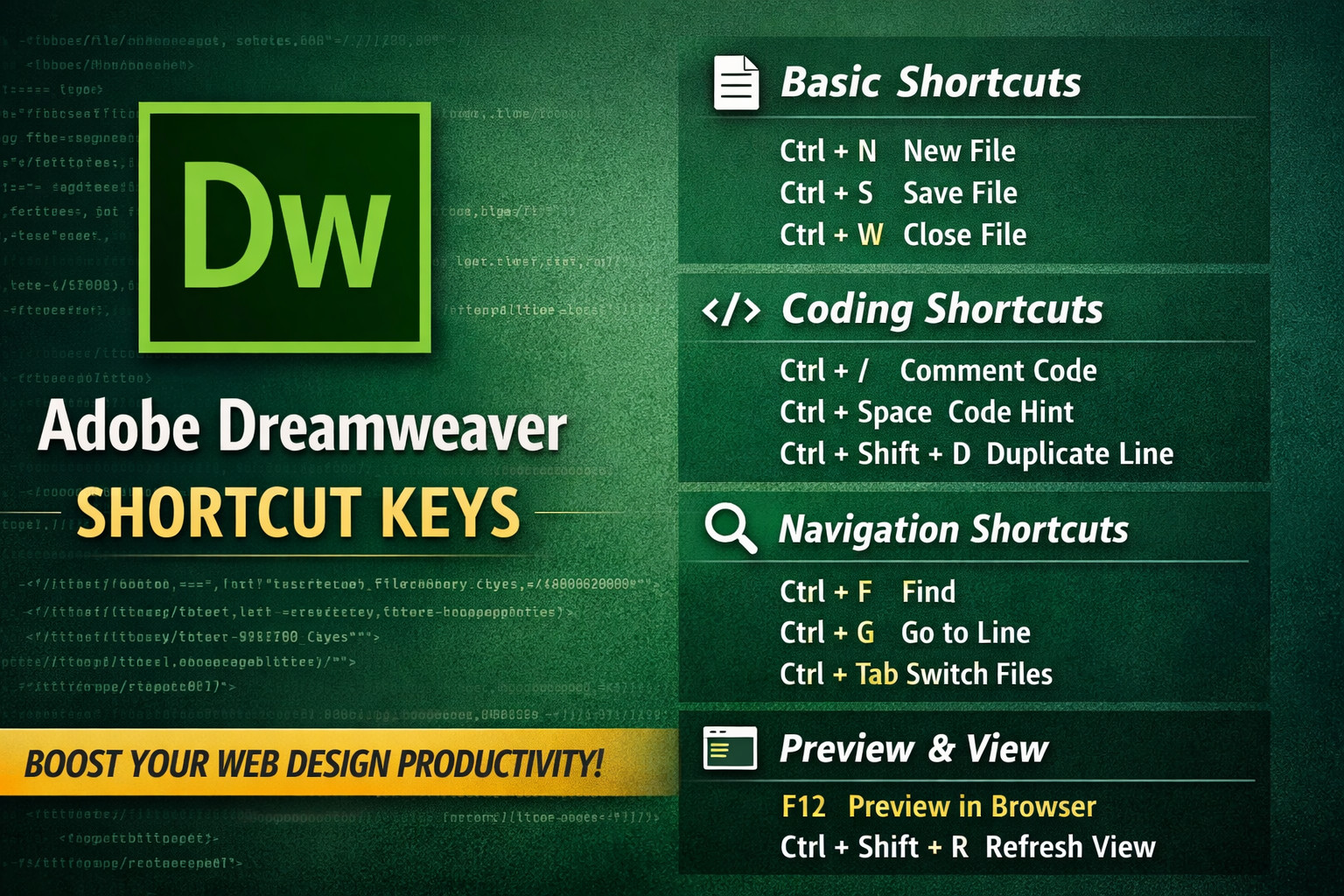
Basic Adobe Dreamweaver Shortcut Keys
| Shortcut Key | Function |
|---|---|
| Ctrl + N | Create New File |
| Ctrl + O | Open File |
| Ctrl + S | Save File |
| Ctrl + Shift + S | Save As |
| Ctrl + W | Close File |
| Ctrl + Q | Quit Dreamweaver |
Editing Shortcut Keys
| Shortcut Key | Function |
|---|---|
| Ctrl + C | Copy |
| Ctrl + X | Cut |
| Ctrl + V | Paste |
| Ctrl + Z | Undo |
| Ctrl + Y | Redo |
| Ctrl + A | Select All |
Code Editing Shortcuts
| Shortcut Key | Function |
|---|---|
| Ctrl + / | Comment / Uncomment Code |
| Ctrl + Space | Code Hint |
| Ctrl + Shift + C | Check Syntax |
| Ctrl + Shift + D | Duplicate Line |
| Ctrl + Shift + Up/Down | Move Line Up/Down |
These shortcuts help developers work faster while coding HTML and CSS inside Dreamweaver.
Navigation Shortcuts
| Shortcut Key | Function |
|---|---|
| Ctrl + F | Find |
| Ctrl + H | Find and Replace |
| Ctrl + G | Go to Line |
| Ctrl + Tab | Switch Between Files |
| Ctrl + Shift + Tab | Previous File |
View Shortcuts
| Shortcut Key | Function |
|---|---|
| F12 | Preview in Browser |
| Ctrl + Shift + F | Find in Files |
| Ctrl + Shift + R | Refresh Design View |
Previewing your website quickly helps identify issues before publishing.
Useful Resources
You can learn more about Dreamweaver shortcuts and features from the following resources:
Official Guide
https://helpx.adobe.com/dreamweaver.html
Keyboard Shortcut Reference
https://shortcutworld.com/Dreamweaver
Tips to Master Dreamweaver Faster
Follow these tips to become more productive:
✔ Practice shortcut keys daily
✔ Use code hints for faster coding
✔ Organize files using the file panel
✔ Preview your site regularly in browsers
With consistent use of shortcuts, you will significantly improve your web development workflow.
Conclusion
Learning Adobe Dreamweaver shortcut keys is essential for anyone working in web design or development. These shortcuts help you write code faster, manage files efficiently, and navigate the interface with ease.
Start practicing these shortcuts today to become a faster and more productive web developer.
Useful External Resources (Outbound Links)
You can learn more about Dreamweaver and its features from these official and trusted sources:
- Adobe Dreamweaver Official Page
https://www.adobe.com/products/dreamweaver.html - Dreamweaver Help Center
https://helpx.adobe.com/dreamweaver.html - Dreamweaver Keyboard Shortcut Guide
https://shortcutworld.com/Dreamweaver - Web Development Learning Resource
https://developer.mozilla.org